Zavepower Zavepower
E.W.A. — Easy Water Analysis·Bruksanvisning
BRUKSANVISNING ZEWA-100

Easy Water
Analysis

Smart vattenanalys för utomhusspa och pool.

Produkt
E.W.A.
Modell
ZEWA-100
Version
1.0 — 2026
E.W.A.
01

Introduktion

VARNING

VIKTIGT

Innan ni börjar

Det här behöver ni

    OBS

    02

    Installation av sond

    Allmänna krav

    TIPS

    Steg 1 — Hitta rätt installationspunkt

    UP DOWN 2 3 4 CORRECT RANGE ✕ 12 ✕ 06
    FIG. 2.1 Korrekt sondvinkel
    OBS

    03

    Metod A — T-koppling

    T-connection flow direction diagram
    FIG. 3.1 Flödesriktning
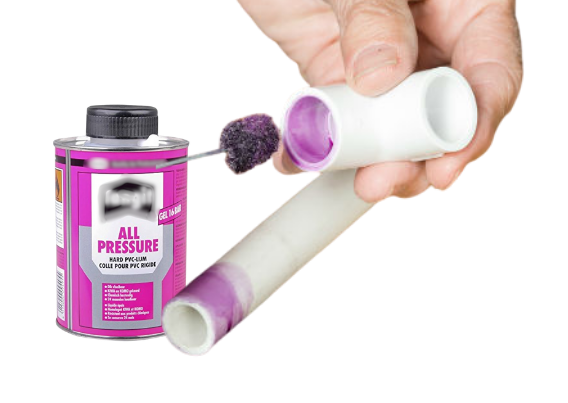
    PVC glue applied to pipe joint
    FIG. 3.2 Limma alla fogar
    04

    Metod B — Saddelklamma

    VARNING

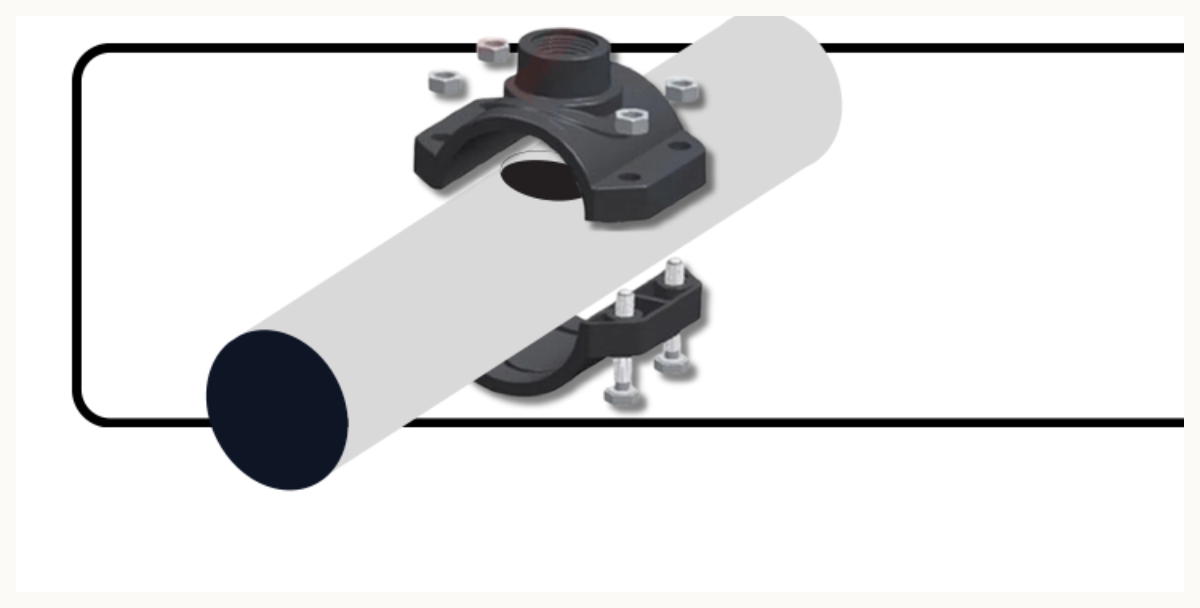
    Saddle clamp mounted on PVC pipe
    FIG. 4.3 Mounted probe — final installation
    05

    Anslutning av styrenhet

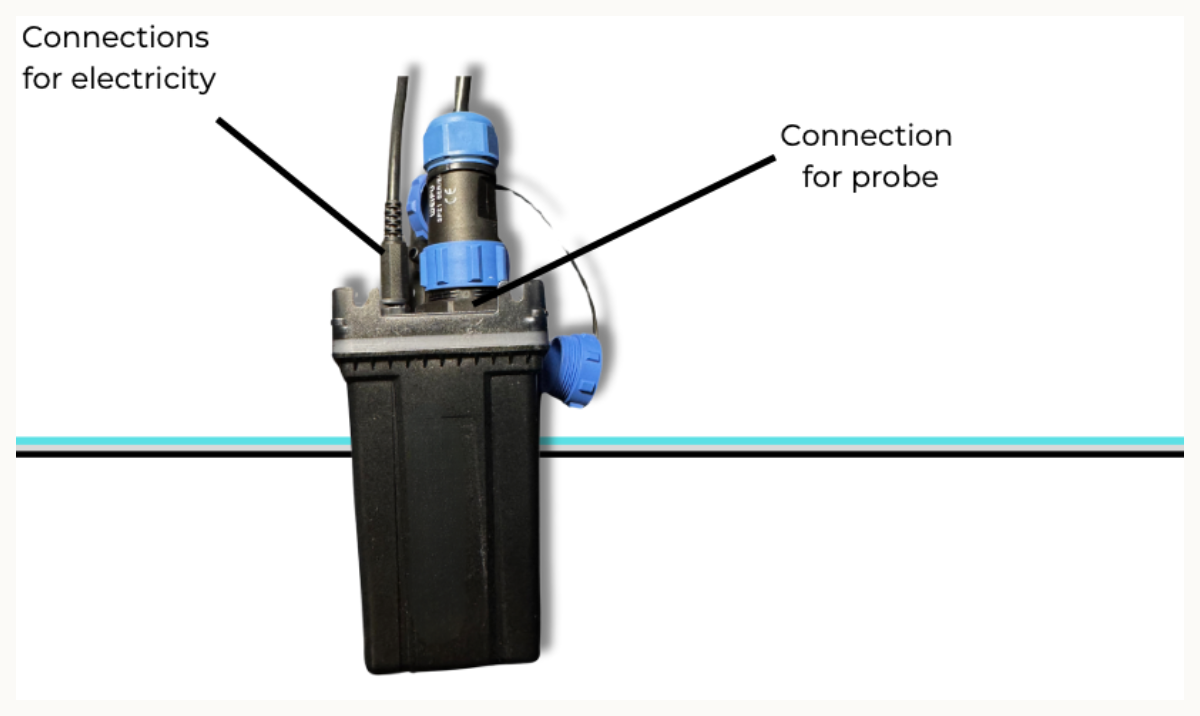
    Control unit with probe input and power connectors
    FIG. 5.1 Control unit — probe input and power connectors

    Tillgängliga anslutningar

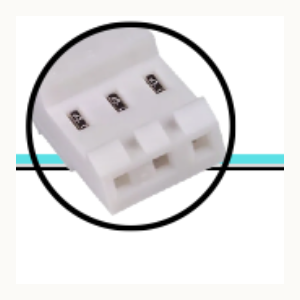
    Balboa connector
    Tillägg
    Balboa
    Gecko V2 connector
    Tillägg
    Gecko V2
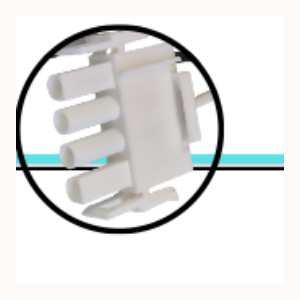
    Gecko V3 connector
    Tillägg
    Gecko V3
    230 V direct connection
    Standard
    230 V
    OBS

    06

    App-installation
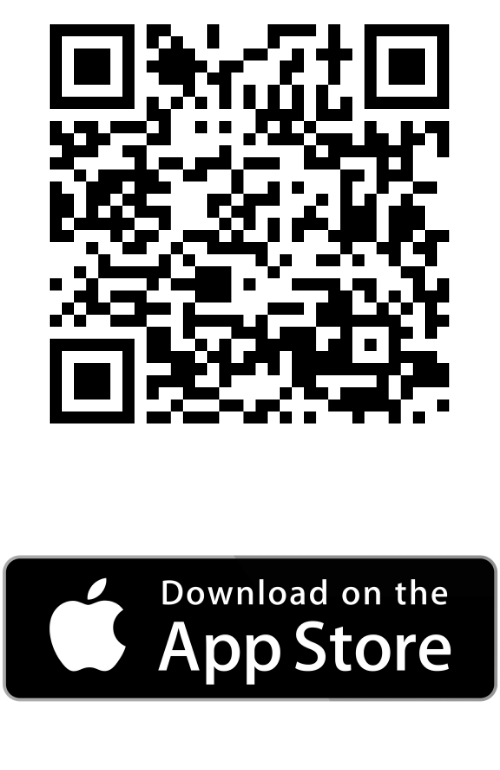
    QR code and App Store badge
    iOS
    App Store
    Scan with the iPhone camera, or search for E.W.A. in the App Store.
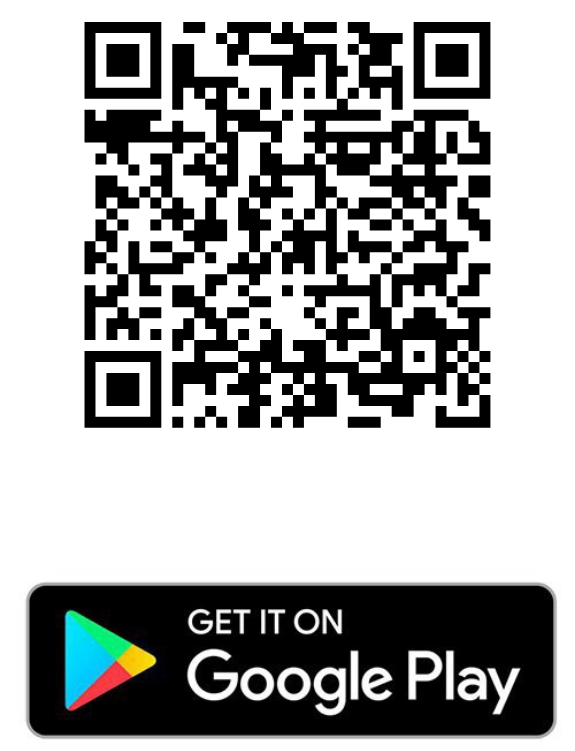
    QR code and Google Play badge
    Android
    Google Play
    Scan with the Android camera, or search for E.W.A. in Google Play.
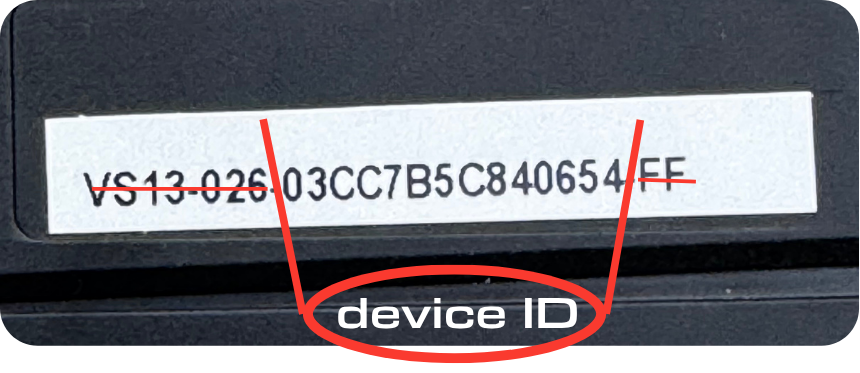
    Device ID label on the E.W.A. unit
    Device ID

    The Device ID is printed on a label on the side of the E.W.A. unit. It is the segment after VS13-026- — for example 03CC7B5C840654. Keep it handy for the next steps.
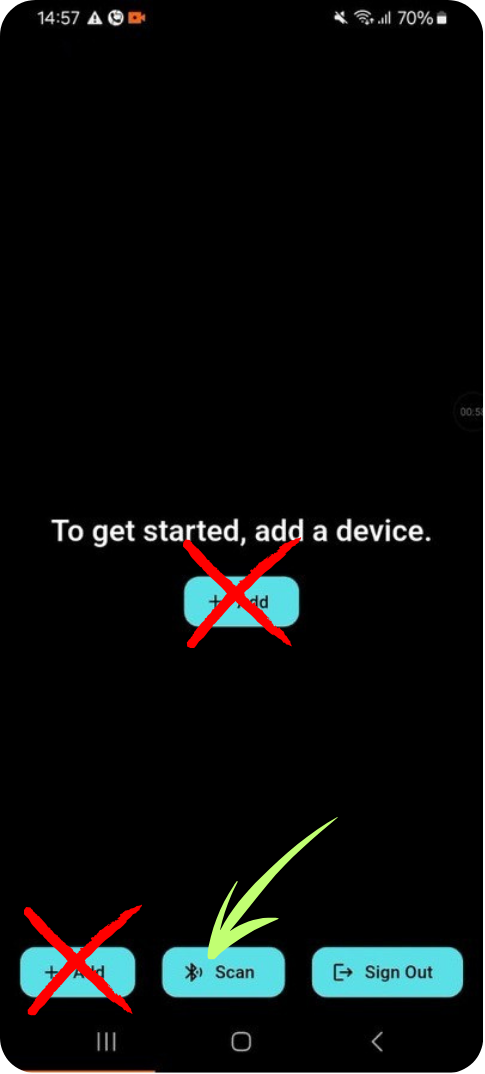
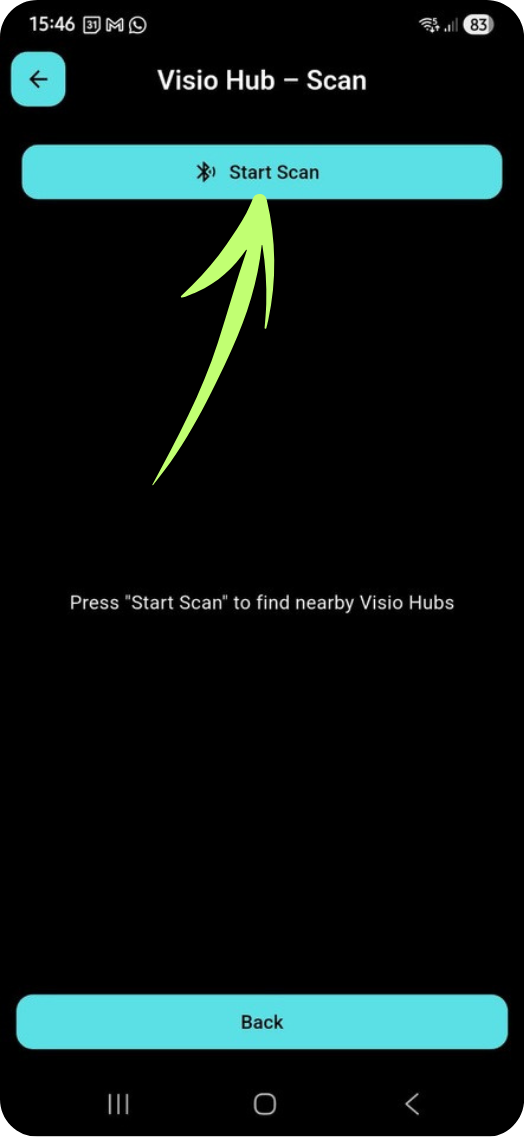
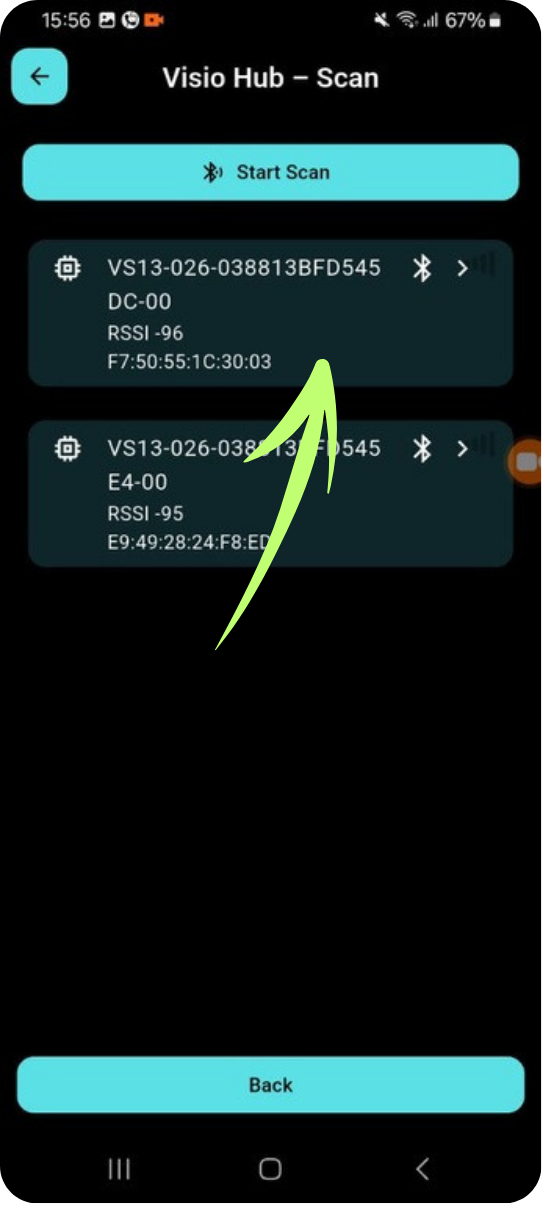
    Empty home screen — tap Scan, not Add Visio Hub scan — tap Start Scan Visio Hub scan results — tap your device
    FIG. 6.1–6.3 Tap Scan, then Start Scan, then select your device
    VIKTIGT

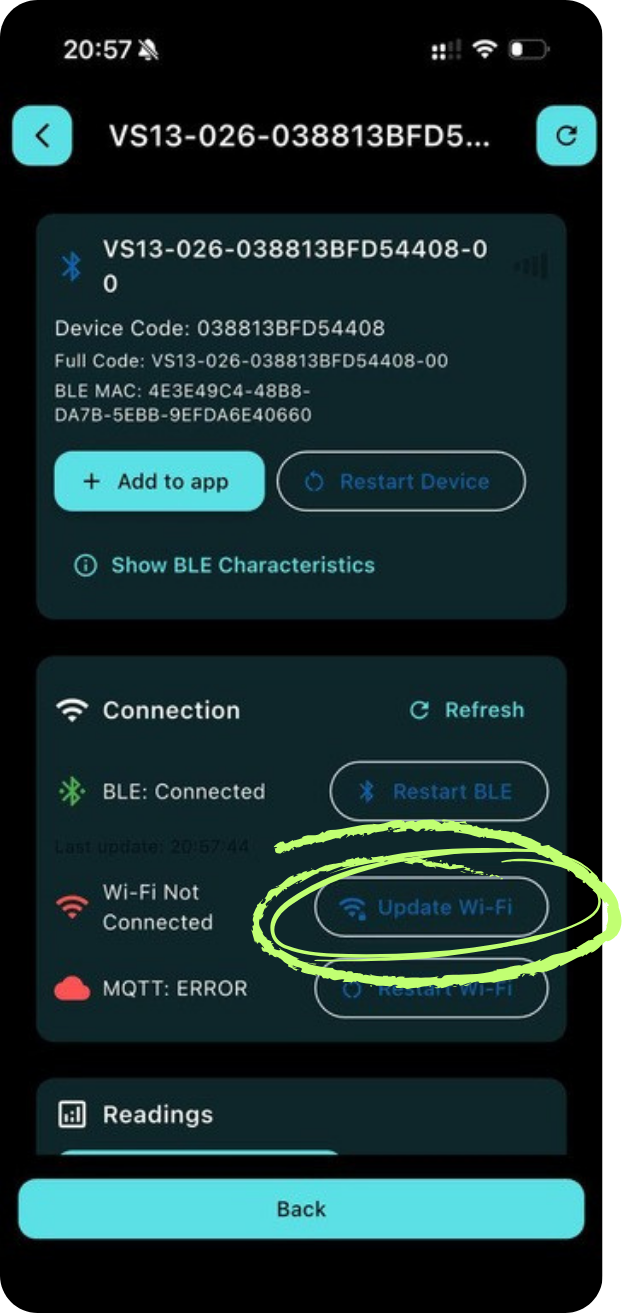
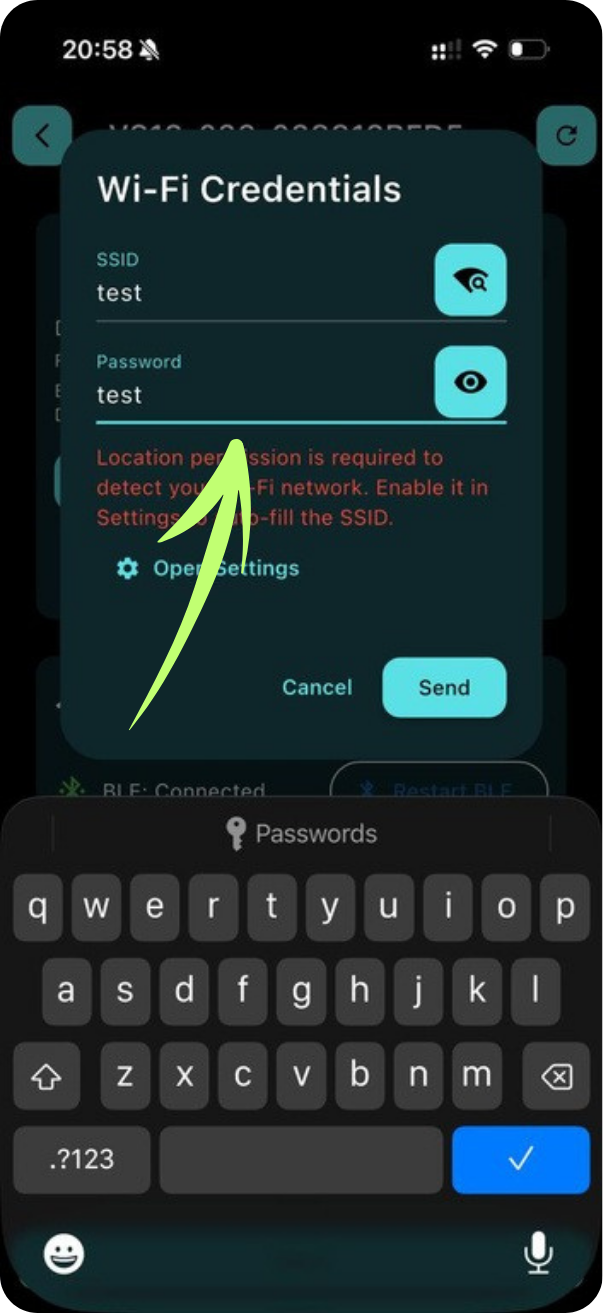
    Tap Update Wi-Fi Enter Wi-Fi credentials
    FIG. 6.4–6.5 Tap Update Wi-Fi and enter your SSID and password
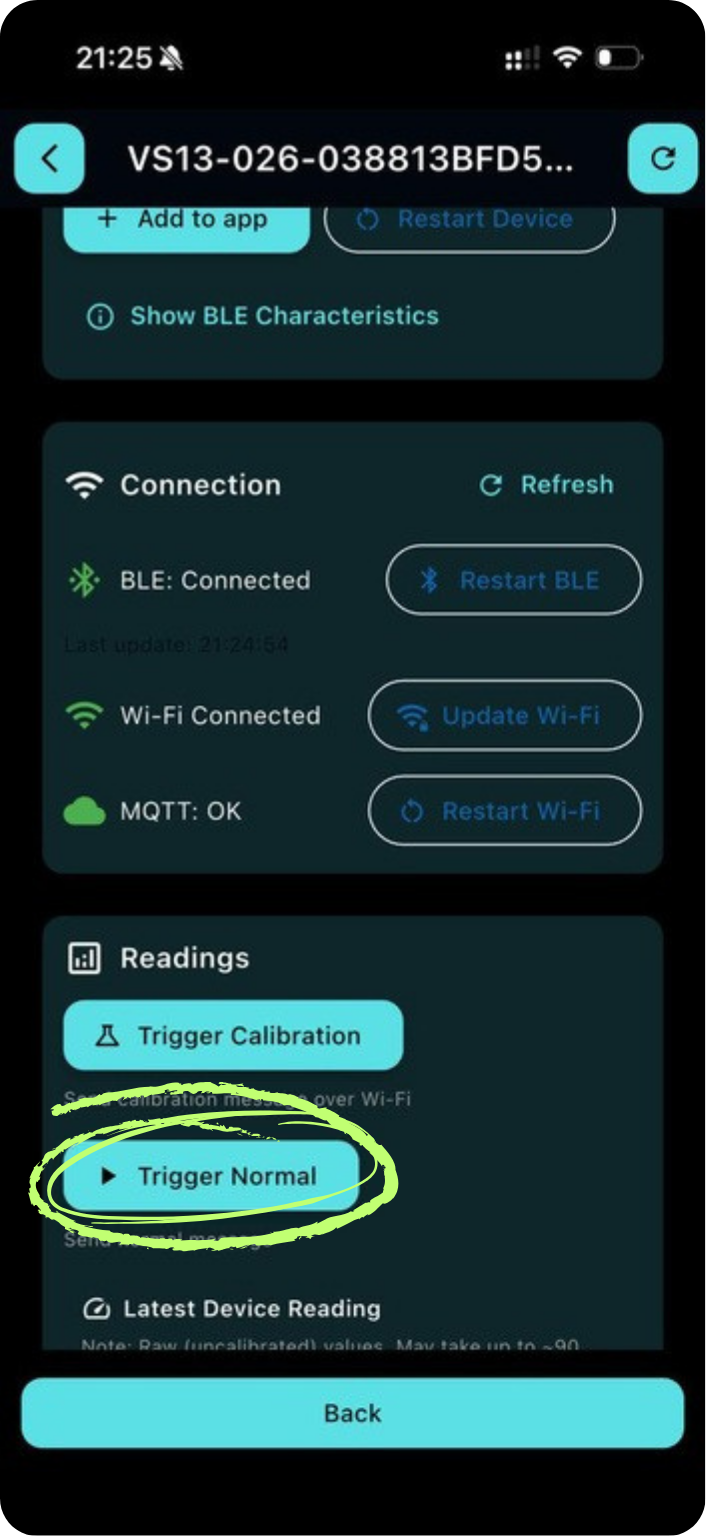
    Tap Trigger Normal
    FIG. 6.6 Tap Trigger Normal to start a 90-second reading cycle
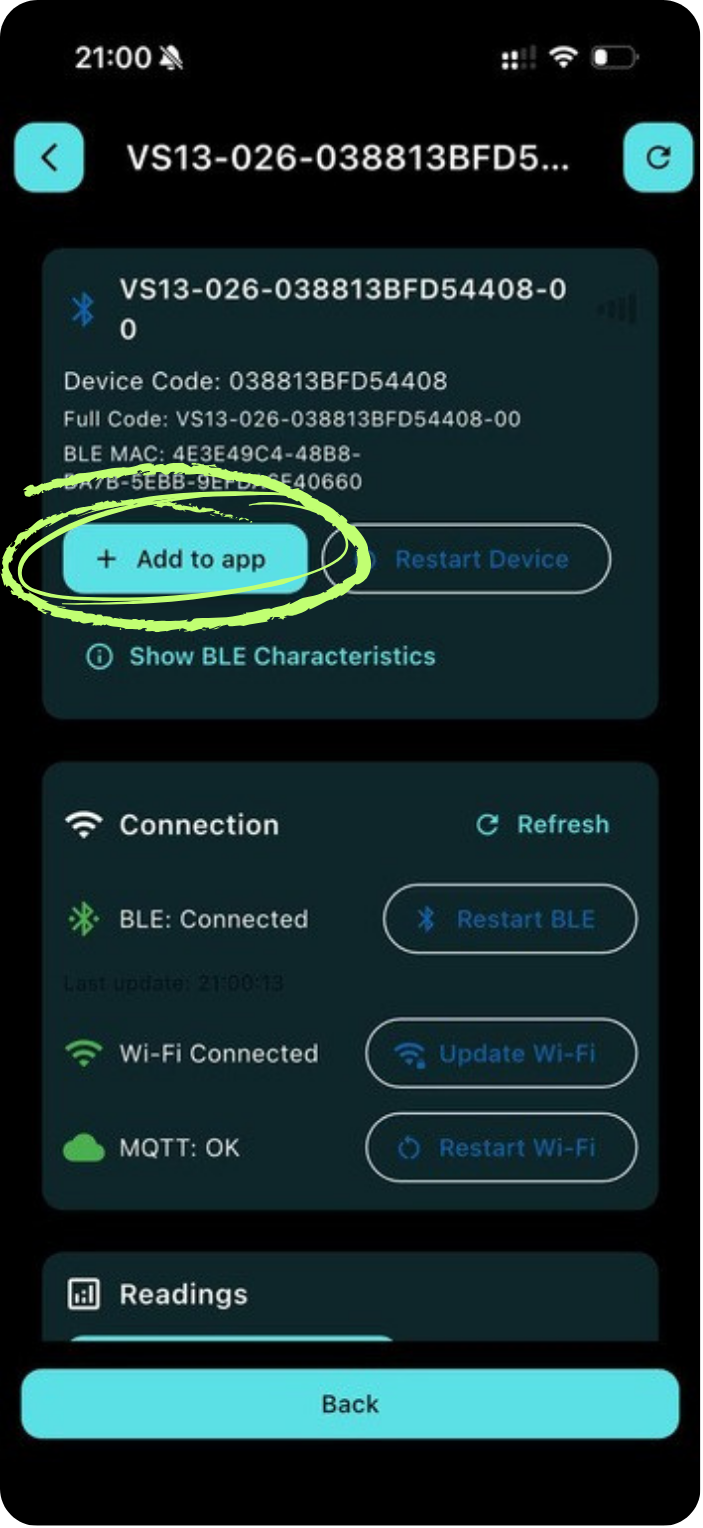
    Tap + Add to app
    FIG. 6.7 Tap + Add to app to save the device to your account
    OBS

    07

    Vägledning och dosering

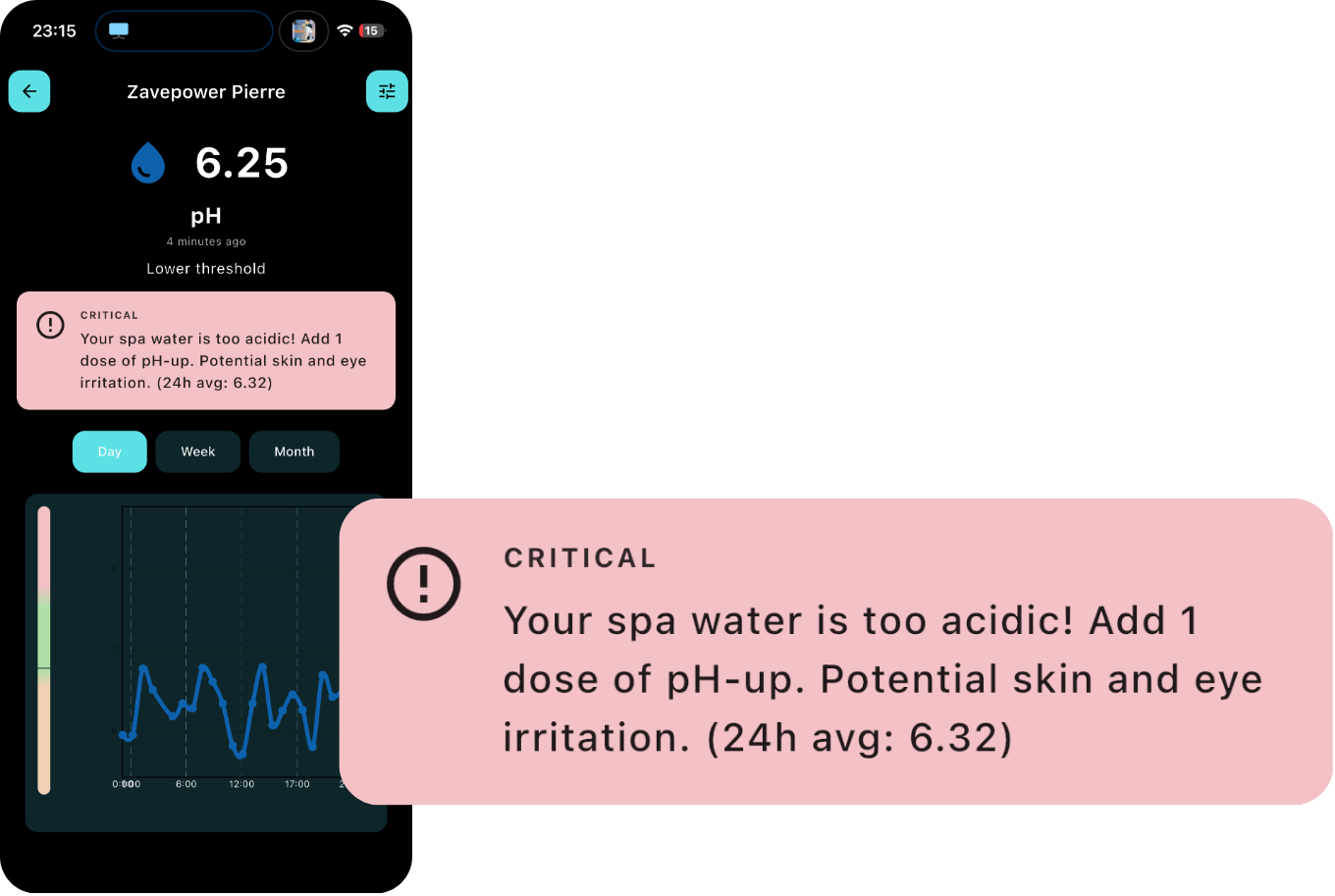
    Critical alert telling you to add pH-up
    FIG. 7.1 Actionable critical alert with a dosing instruction
    08

    Avancerade inställningar

    Tillgängliga funktioner
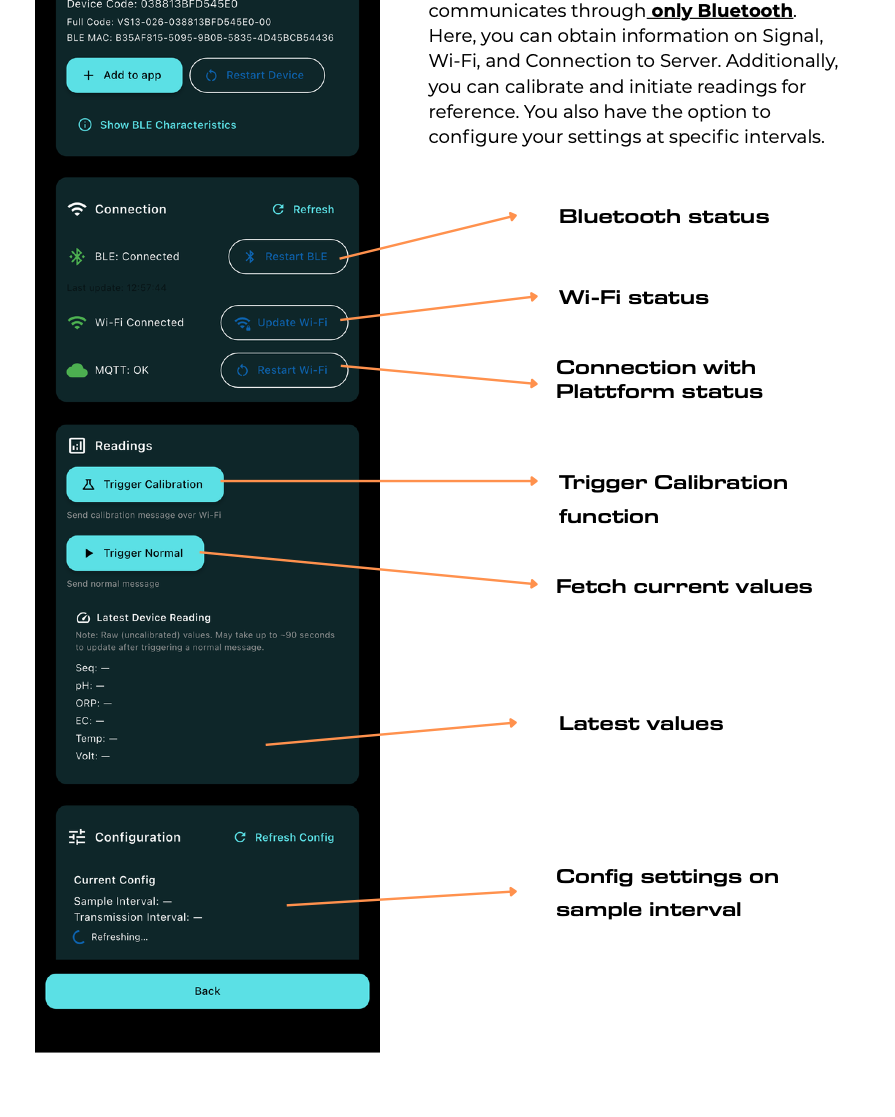
      Advanced settings screen — labelled overview
      FIG. 8.1 Advanced settings — Bluetooth-only mode
      09

      Förstå mätvärdena

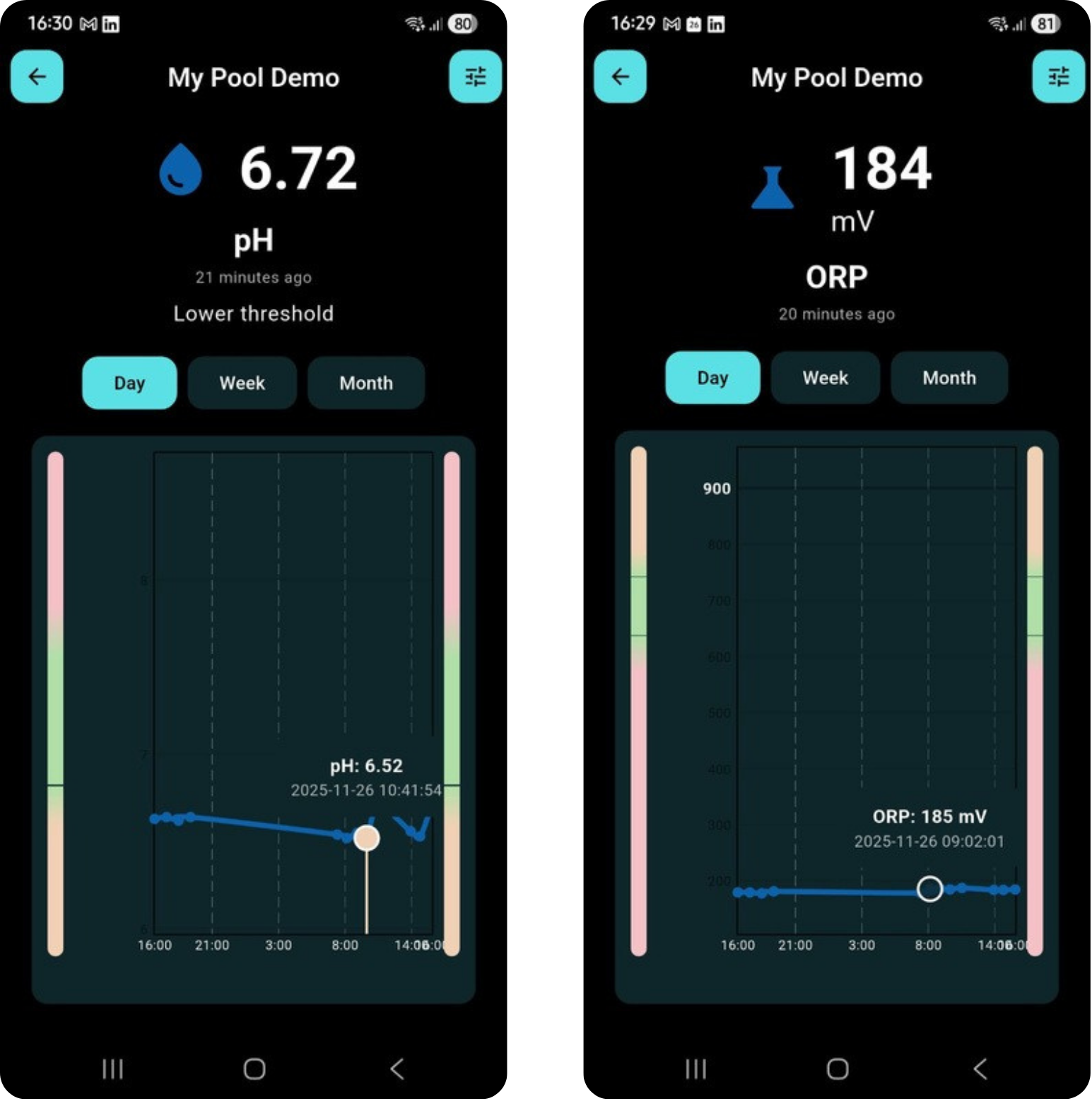
      pH and ORP reading details with day timeframe
      FIG. 9.1 pH and ORP details — day, week and month timeframes
      10

      Felsökning

      VARNING

      11

      Tekniska specifikationer

      Produkt
      Elektriskt
      Sensorer
      Trådlöst
      Miljö och drift
      Förpackningens innehåll
      12

      Garanti och villkor

      13

      Kontakt